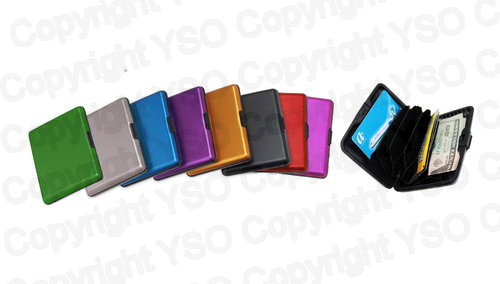
1 - Aluminum Wallet
$5.95
Color 13 options
Loading…
$0.00 Out of stock
Estimated delivery: loading…
How do I set up and connect this large print keyboard?
To set up the keyboard, simply plug the USB connector into an available port on your computer. It is designed to be automatically detected by the operating system, and no additional drivers are typically required for use.
Is this accessibility keyboard compatible with both Windows and Apple computers?
Yes, this keyboard uses a standard USB connection and is generally compatible with both Windows and Apple computers. Note that some older macOS versions might require driver installation.
What kinds of general computer tasks can I use this keyboard for?
This keyboard is designed for general computer use, supporting tasks like email, web browsing, and document creation. It maintains a standard QWERTY layout for seamless operation.
Is this keyboard suitable for students or professional workplace use?
Yes, the keyboard is intended for use in educational settings and as a workplace accommodation. Its large-key design enhances independence for individuals with visual impairments.
Are the keys backlit, or is the large print designed for specific lighting?
The keys on this keyboard are not backlit. The large, high-contrast yellow print on the black keys is specifically designed to improve visibility in well-lit environments.
Will the large keys make it difficult to type accurately?
No, the spacing and layout are standard, even though the keys are larger for visibility. The design ensures a familiar typing experience without altering the standard placement.
What are the physical specifications of the large print keyboard?
The keyboard is standard size and features a rectangular, flat design. It comes in a high-contrast black and yellow colorway and connects via a USB connector.
Check out these related products
No reviews yet. Be the first to review!