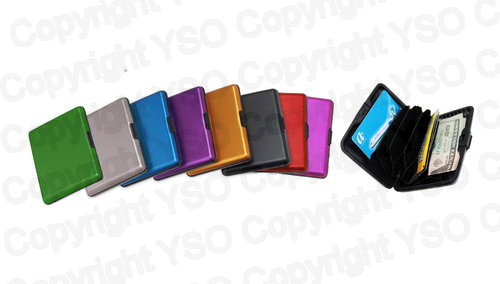
1 - Aluminum Wallet
$5.95
Color 13 options
Loading…
$0.00 Out of stock
Estimated delivery: loading…
How do I get started using the card reader?
To use the card reader, first insert the memory card into the appropriate slot. Next, plug the device into a USB port on your computer. The device is designed for simple plug-and-play operation and should be recognized automatically.
Does this card reader require any special software or drivers?
No, this card reader is a plug-and-play device and does not require any drivers or specialized software to operate. It is compatible with both Windows and Mac computers.
What types of memory cards can I use with this reader?
The reader supports a wide range of common memory card formats, including SD, MicroSD, and CF. It is designed as an all-in-one solution for accessing various memory cards.
Is this good for transferring photos and videos from a camera?
Yes, it is ideal for transferring photos and videos from your camera to your computer. It allows you to quickly back up data and share files from memory cards.
What kind of USB port does this card reader use?
This card reader uses a USB-A connector. If you are using a device with a USB-C port, you may need to use a separate USB-C to USB-A adapter.
Can I read multiple memory cards at the same time?
No, the reader is designed to read only one memory card at a time. You must insert and process cards individually.
What is the USB version and what materials is the reader made from?
The reader is a USB 2.0 device and is constructed from durable plastic. It features a compact, rectangular, and utilitarian design.
Check out these related products
No reviews yet. Be the first to review!